Alibaba Cloud provides a fully managed, maintenance-free observability platform that enables one-click monitoring, tracing, and evaluation of Dify applications.
Alibaba Cloud Monitor natively supports Python/Golang/Java applications through LoongSuite agents and open-source OpenTelemetry agents. In addition to one-click monitoring of Dify LLM applications, it also supports end-to-end observability of Dify components and their upstream and downstream dependencies through non-invasive agents.For more details, please refer to the Cloud Monitor documentation.
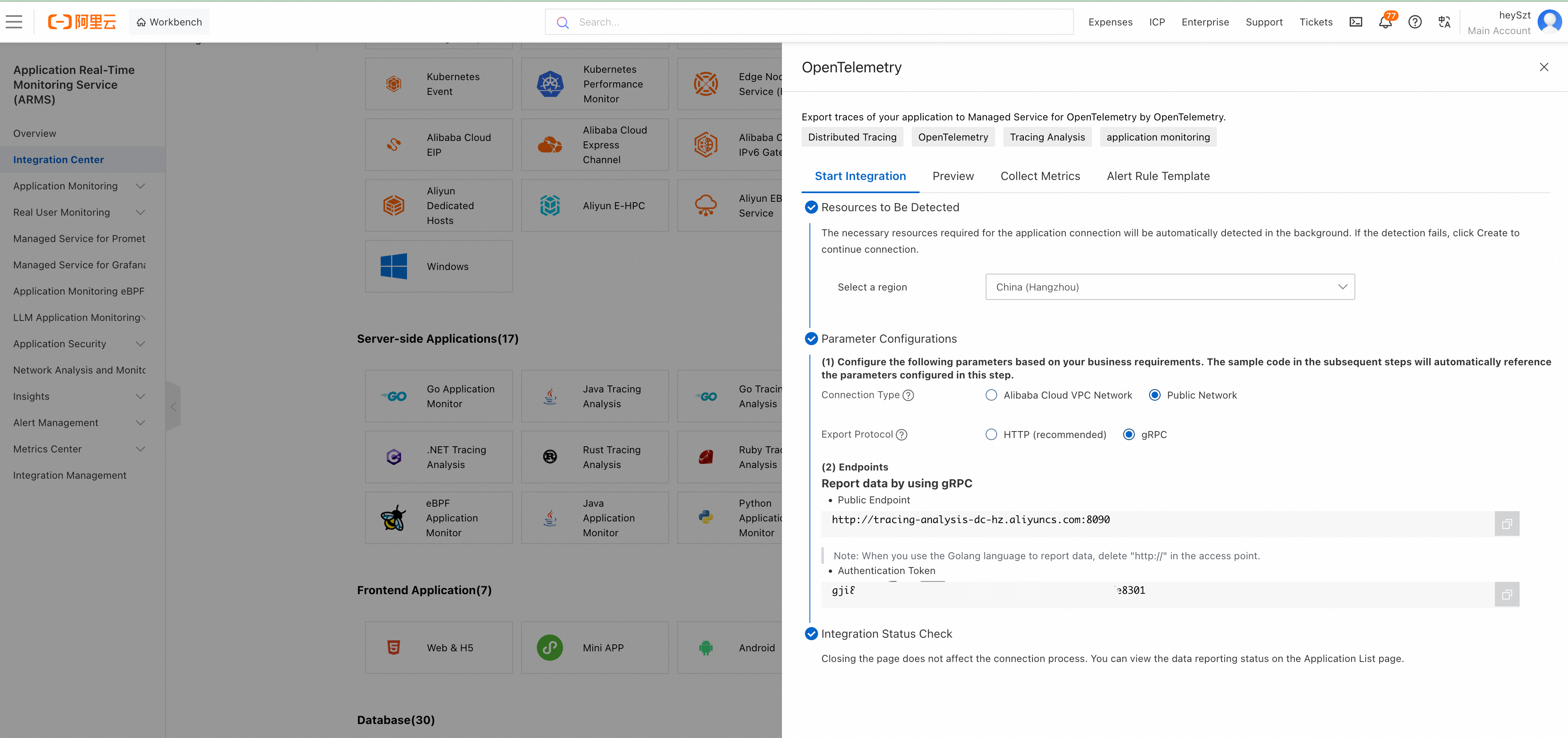
Log in to the ARMS console, and click Integration Center in the left navigation bar.
In the Server-side Applications area, click the OpenTelemetry card.
In the OpenTelemetry panel that appears, select gRPC as the export protocol, and select the connection method and region according to your actual deployment.
Save the Public Endpoint and Authentication Token (License Key).
The Endpoint does not include a port number, for example http://tracing-cn-heyuan.arms.aliyun.com.
Prerequisites: Dify Cloud or Community Edition version must be ≥ v1.6.0
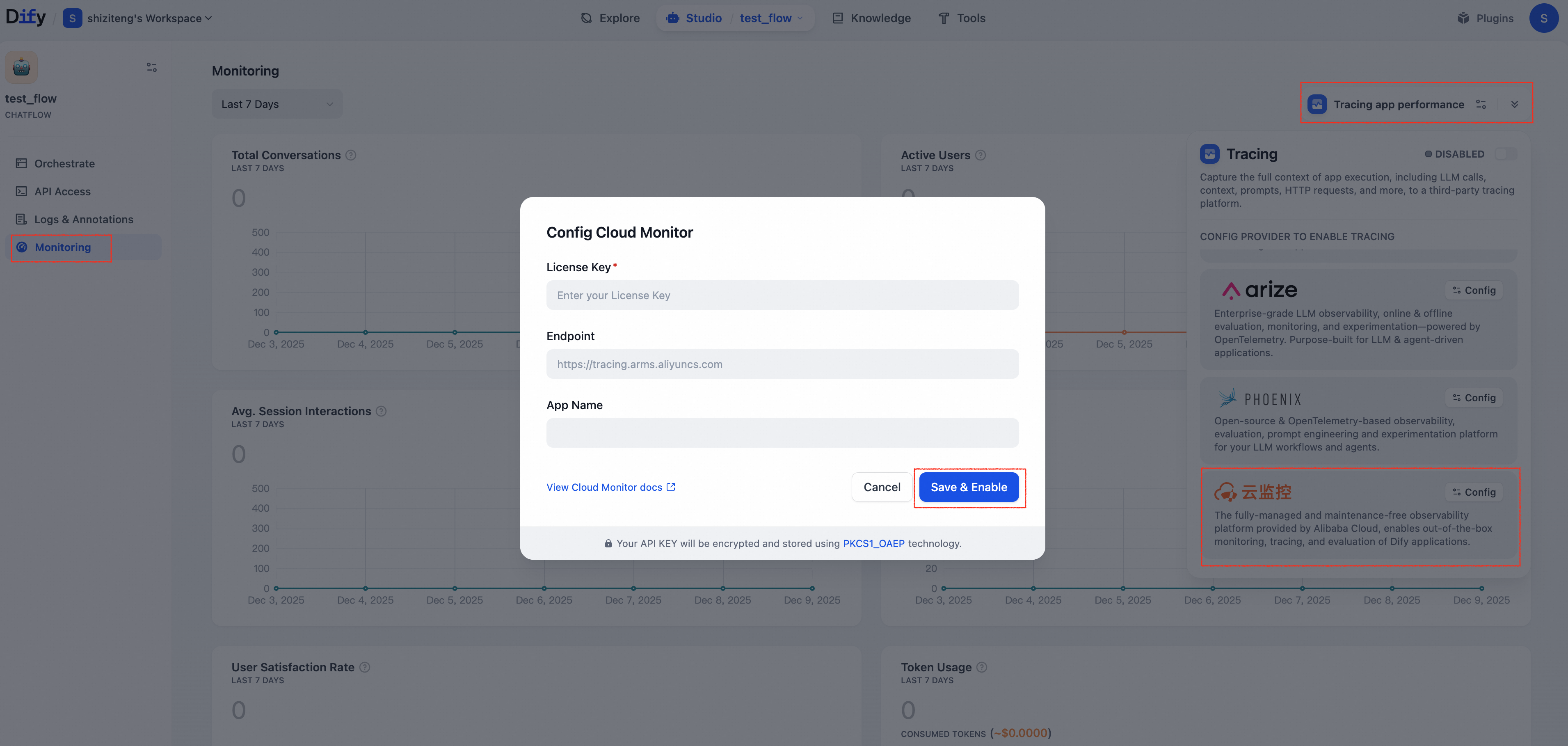
Log in to the Dify console and navigate to the application you want to monitor.
Open Monitoring in the left navigation bar.
Click Tracing app performance, then click Configure in the Cloud Monitor area.
In the dialog that appears, enter the License Key and Endpoint obtained in step 1, and customize the App Name (the application name displayed in the ARMS console), then click Save & Enable.
Cloud Monitor supports collecting data from Dify’s Workflow/Chatflow/Chat/Agent applications, including execution details of workflows and workflow nodes, covering model calls, tool calls, knowledge retrieval, execution details of various process nodes, as well as metadata such as conversations and user information.